

Launcher
Desktop App · Windows, macOS, Linux
Your personal game launcher and library manager. Find installed games from every store, track live hardware stats, play with friends, and make it yours with themes and settings.
A lightweight hub for your games
Quick access to your installed games and real-time hardware monitoring, without the bloat of a full storefront client.
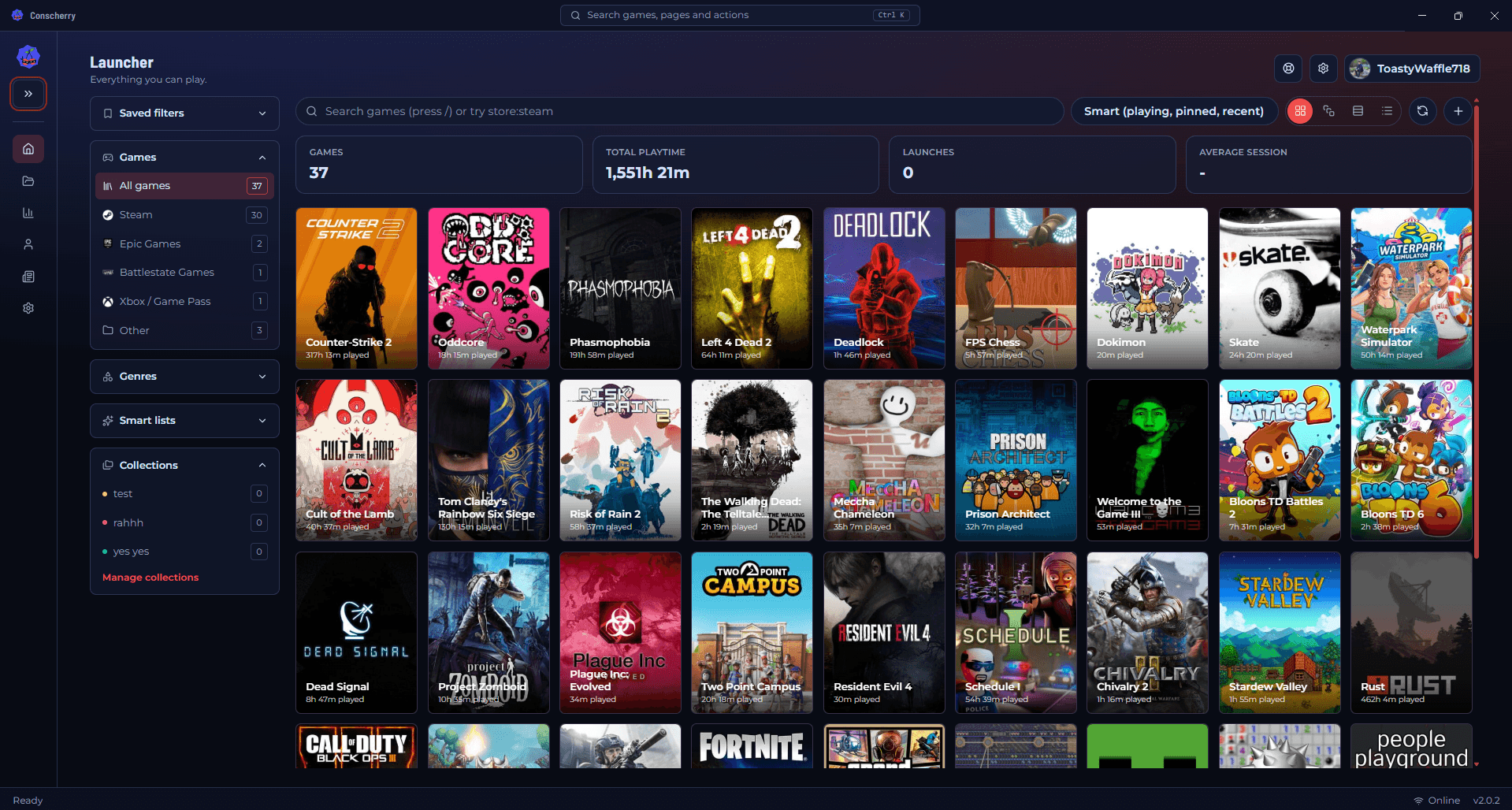
Your whole library in one place
Automatically detects installed games across multiple platforms and launchers.
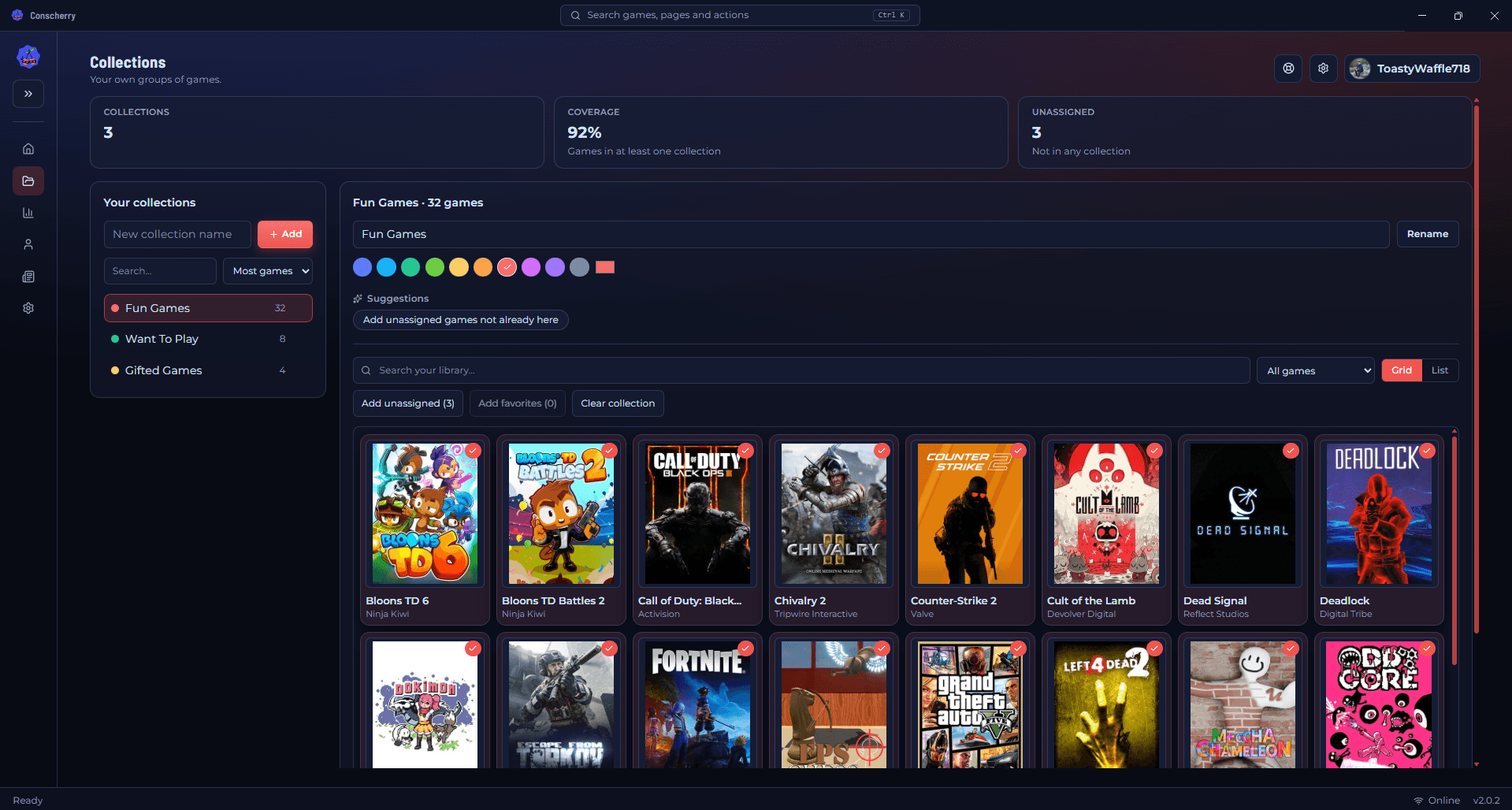
Organize it your way
Filter out the games you don't want to see, and sort the rest by playtime or recent activity.
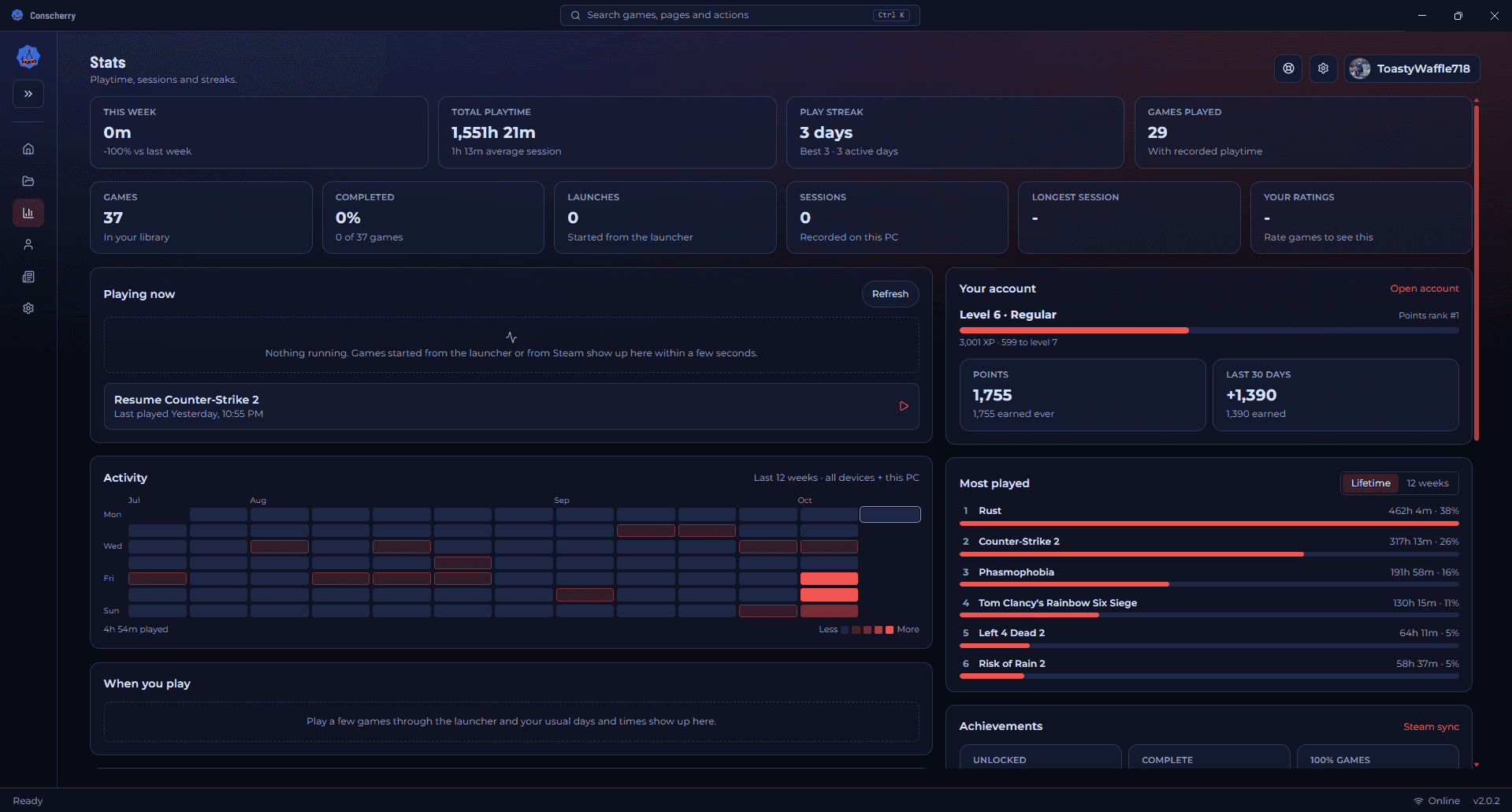
Live stats while you play
Tracks live sessions with FPS, temperatures, CPU/GPU usage, and memory.
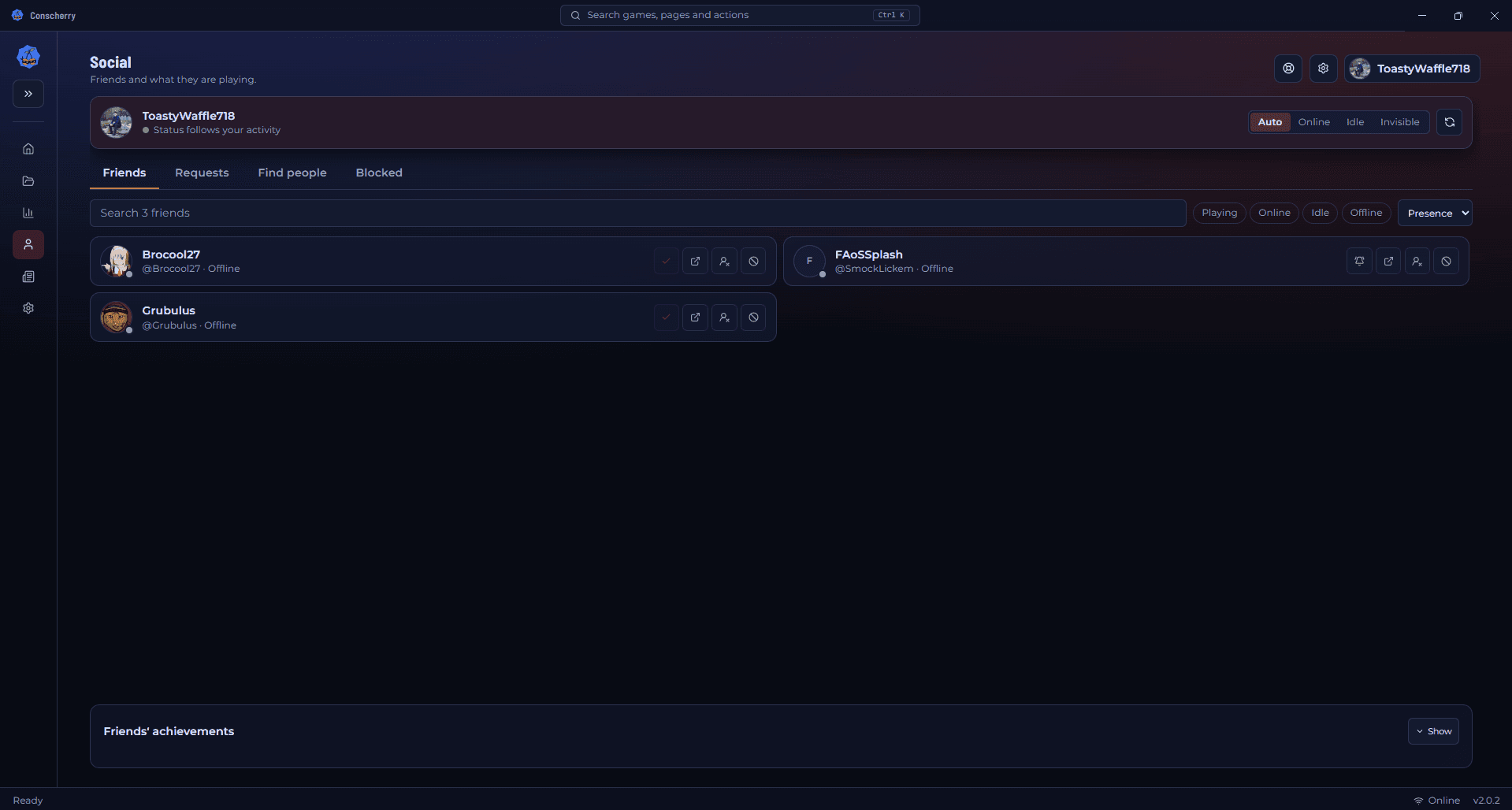
Play together
Add friends, see who's online and what they're playing, and keep up with their activity without leaving the launcher.
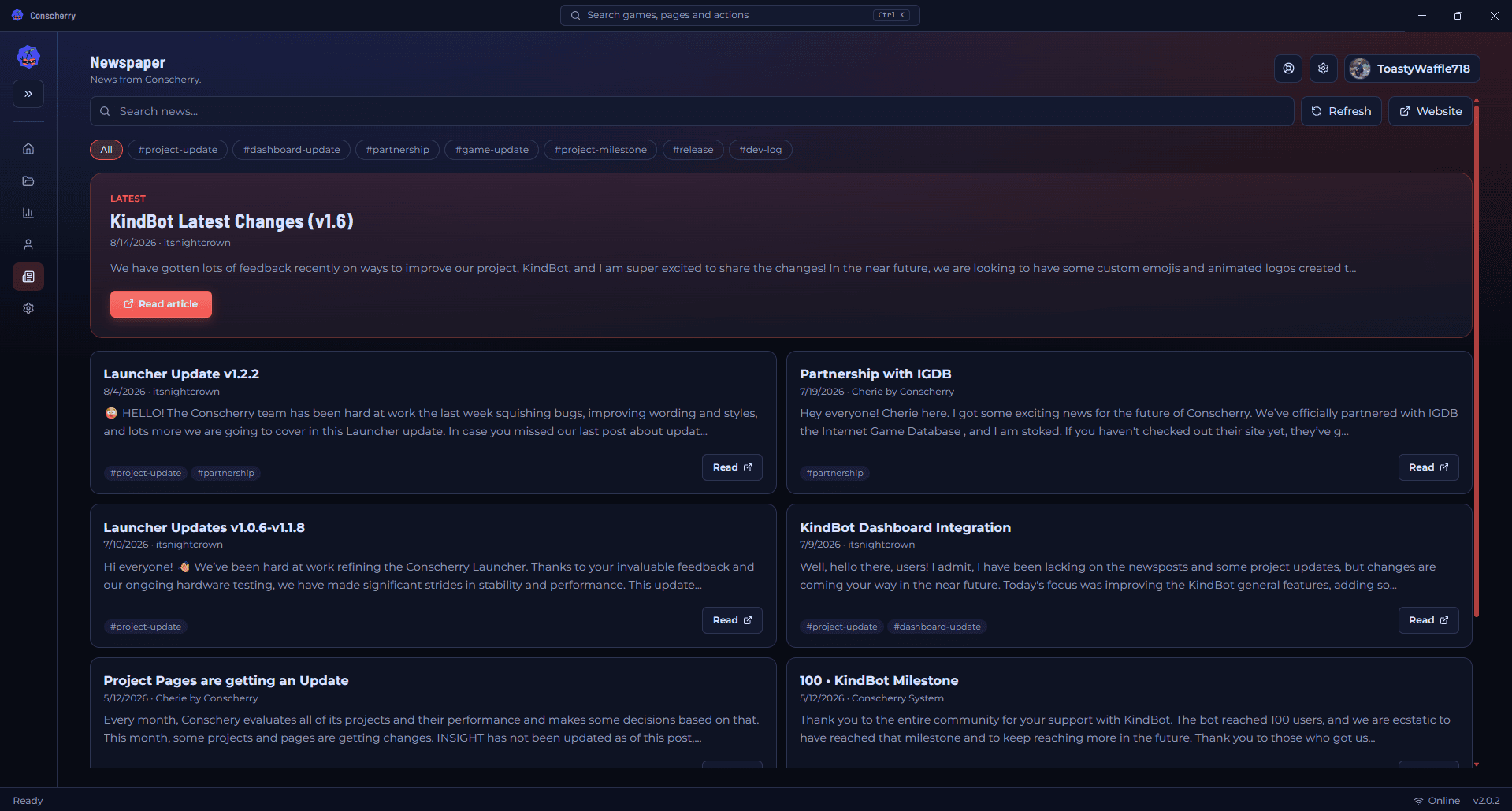
News and your account, built in
Supports account login and launcher news without leaving the app. Settings are saved across restarts, including startup behavior.
Everything in one launcher
More of what's built in, whether you sign in or not.
Points, XP and badges
Earn points and XP for playing, unlock badges, and track your progress from your account hub.
Steam and achievements
Connect Steam to import your library and see your achievements, plus your friends' progress.
Desktop notifications
Get notified about friend activity, updates and unlocked badges. Set quiet hours or pause alerts while you play.
Your Conscherry account, optional
Sign in to unlock friends, points, badges and your account hub. Skip it and the library, stats and collections all work the same.
Light on your system
No storefront and no required Steam client. Live stats tools are bundled only where they're needed.
Finds games from the stores you already use
The scanner reads each store's own install data, then checks your scan folders on every drive. Duplicates are merged, and launcher helper programs are ignored.
You decide what gets added
After a scan you get a review list with every game checked. Uncheck anything you don't want, and it won't be added later by the automatic library checks either. You can still add it yourself at any time, from a manual scan or by choosing its executable.
The launcher can also check your scan folders in the background, tell you about new installs, and mark games as missing if they're uninstalled. Auto-adding is optional and can be switched off in settings.
Wrong match? Fix it.
Covers and details come from IGDB, matched by name. If a game picks up the wrong entry, such as a spin-off or a similarly named title, search IGDB again with a better name from the game's edit options. The launcher prefers the main game over DLC and add-ons.
How updates work
The launcher checks for updates on startup and can download and install new versions directly from GitHub releases. Each release is tagged and includes platform-specific assets for easy access. You can also view the latest release notes on GitHub to see what's new.
How does metadata work?
The launcher uses metadata provided by IGDB, to display game information such as cover art, descriptions, and other important information. This metadata is fetched from IGDB's API and is updated regularly to ensure accuracy. The launcher stores this metadata locally to provide a fast and responsive experience, even when offline.
Privacy and feedback
Game metadata is stored locally for a fast, offline-friendly experience. The in-app feedback form is optional, and you choose whether to attach account or device details. Diagnostics have home folders and usernames redacted, and you can send feedback anonymously. Sharing your game match fixes is a separate opt-in setting that is off by default; see the question above for exactly what it sends.
Requirements
- Windows
- 64-bit installer (.exe). Live FPS capture is included.
- macOS
- DMG for Apple Silicon (arm64) or Intel (x64).
- Linux
- 64-bit AppImage, DEB (amd64) or RPM (x86_64). Live FPS uses MangoHud when it's available.
- Internet
- Needed for game covers and details, news, updates and your account. Your library, stats and collections work offline.
- Storage
- About 300 MB installed on Windows, plus cached game artwork as your library grows. No storefront and no required Steam client.
Frequently asked questions
A game I own wasn't found. How do I add it?
Add its folder in Settings under scan folders and run a scan, or add the game manually. Turning off the "likely games only" filter lets the scanner consider more executables.
Why does my system warn me when I install it?
The launcher isn't code-signed yet, so Windows, macOS and Linux can't verify the developer. See the guide above for how to run it safely.
Where do covers and descriptions come from?
From IGDB. If a game was matched to the wrong entry, you can re-sync metadata from the launcher to correct it.
What is "Share my match fixes"?
An optional setting, off by default. When you turn it on and manually pick a different match for a game, the launcher sends the game's file name, the name of its folder, its Steam app id if it has one, and the match you chose. It never sends full file paths, your username or the rest of your library. A fix only reaches other people once at least three different accounts report the same one, and you can turn it off or clear anything waiting at any time in Settings under Services.
Can I reset my settings?
Yes. Settings has a reset option that restores the launcher's default settings.
Do I need an account?
No. The library, stats and collections work without one. An account adds social features, points and badges.
Important security notice
This launcher is currently unsigned
Windows, macOS, and Linux may display a security warning because this application has not been digitally signed yet. This does not mean the launcher is unsafe — it simply means your operating system cannot verify the developer yet.
We created a guide explaining how to safely run the launcher on each platform. It also explains what unsigned applications are and why these warnings appear.
Read the guideDirect downloads (v2.0.3)
Platform links are generated from the latest GitHub release assets. If one file is missing, that button opens the release page instead.
Launcher screenshots
A look at the launcher's main views.